ASSA Progress Bar
Generate an animated progress bar overlay in ASSA format, with optional chapter markers.
Menu: ASSA tools → Generate progress bar...
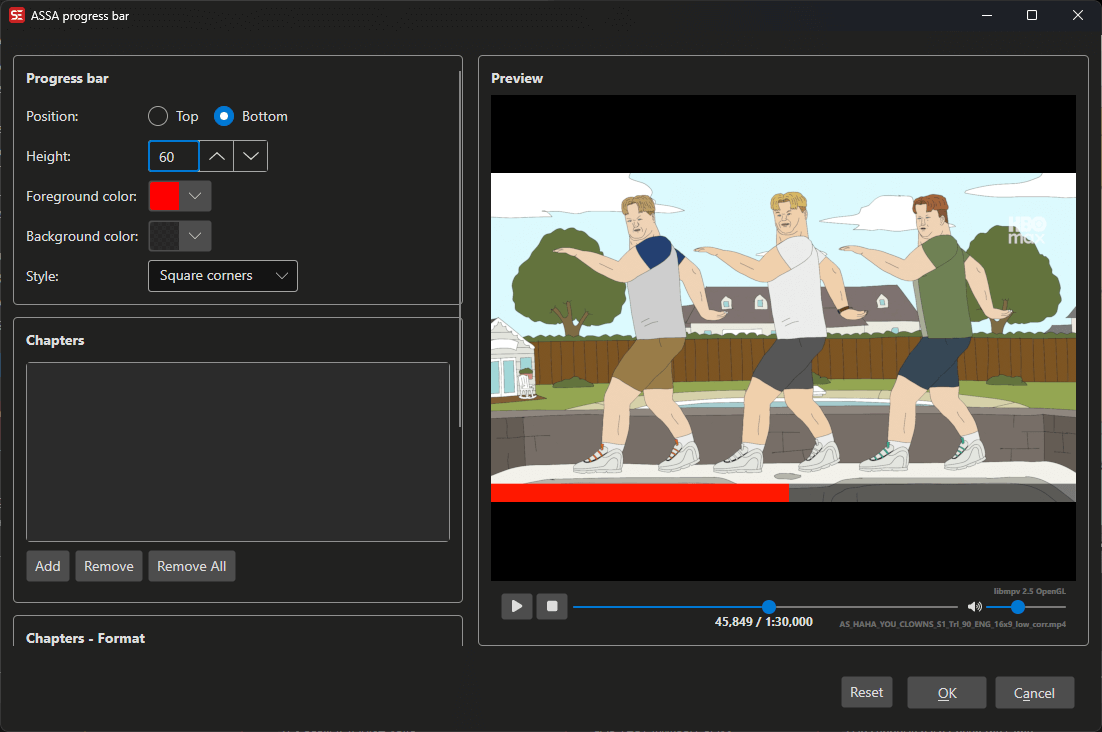
How to Use
- Load a video and subtitle file in ASSA format.
- Go to ASSA tools → Generate progress bar… to open the progress bar dialog.
- Configure the bar position, height, colors, and corner style.
- Optionally add chapter markers with text labels.
- Preview the result in the built-in video player.
- Click OK to generate the progress bar and add it to your subtitle.
Features
Bar Settings
- Position: Top or bottom of the video.
- Height: Bar height in pixels.
- Foreground color: Color of the progress fill.
- Background color: Color of the unfilled portion.
- Text color: Color of chapter text labels.
- Corner style: Square or rounded corners.
Chapters
- Add chapter markers at specific time positions.
- Each chapter has a name and start time.
- Configurable splitter width and height for chapter dividers.
Text Settings
- Font name and size for chapter labels.
- X and Y position adjustments.
- Text alignment: left, center, or right.
Live Preview
- Built-in video player with real-time preview of the progress bar.
- Preview code displayed for inspection.
Keyboard Shortcuts
| Shortcut | Action |
|---|---|
| F1 | Show help |
| Escape | Close dialog |