ASSA Set Position
Visually position subtitles on screen by dragging them over a video screenshot, generating the appropriate ASSA \pos override tag.
Menu: ASSA tools → Set position...
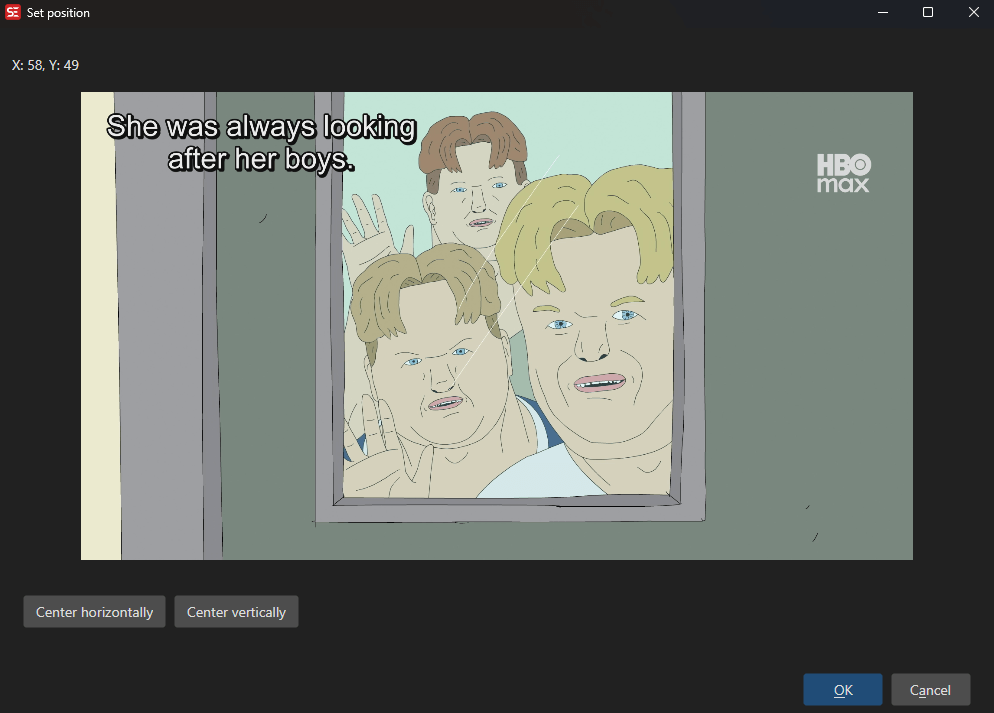
How to Use
- Load a video and select a subtitle line.
- Go to ASSA tools → Set position… to open the positioning dialog.
- A screenshot of the current video frame is shown with the subtitle text overlaid.
- Drag the subtitle text to the desired position on the screen.
- The position coordinates update in real time.
- Click OK to apply the \pos tag to the selected subtitle line(s).
Features
Visual Positioning
- Drag-and-drop subtitle text over a video screenshot.
- Real-time coordinate display.
- Supports left, center, and right horizontal alignment.
- Supports top, center, and bottom vertical alignment.
Resolution Handling
- Source and target resolution settings.
- Automatically scales positions between different video resolutions.
Result
- Generates ASSA \pos(x,y) override tags.
- Updates the subtitle with the new position.
Keyboard Shortcuts
| Shortcut | Action |
|---|---|
| F1 | Show help |
| Escape | Close dialog |