Change Casing
Fix the casing (capitalization) of subtitle text.
- Menu: Tools → Change casing…
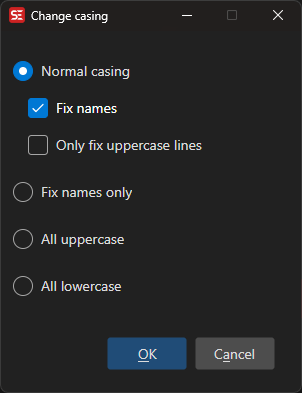
Options
- Normal casing — Capitalize first letter of each sentence
- Fix names — Also capitalize proper names using a names list
- Only fix uppercase lines — Only apply the change to lines that are entirely uppercase
- Fix names only — Only fix the casing of proper names; leave other text untouched
- All uppercase — Convert all text to uppercase
- All lowercase — Convert all text to lowercase
Casing of the selected text
The text box context menu has a Casing submenu that works on the text you have selected in the subtitle text box (or, for Toggle casing, on the selected lines when the subtitle list has focus):
- Toggle casing — Cycles the selection: ALL CAPS → all lowercase → Title Case (
Ctrl+Shift+F3) - Selection to UPPERCASE (
Ctrl+Shift+U) - Selection to lowercase (
Ctrl+U) - Selection to Sentence case — Same as Normal casing above, but only for the selection
All four can be given your own shortcut in Options → Settings → Shortcuts → Text box.
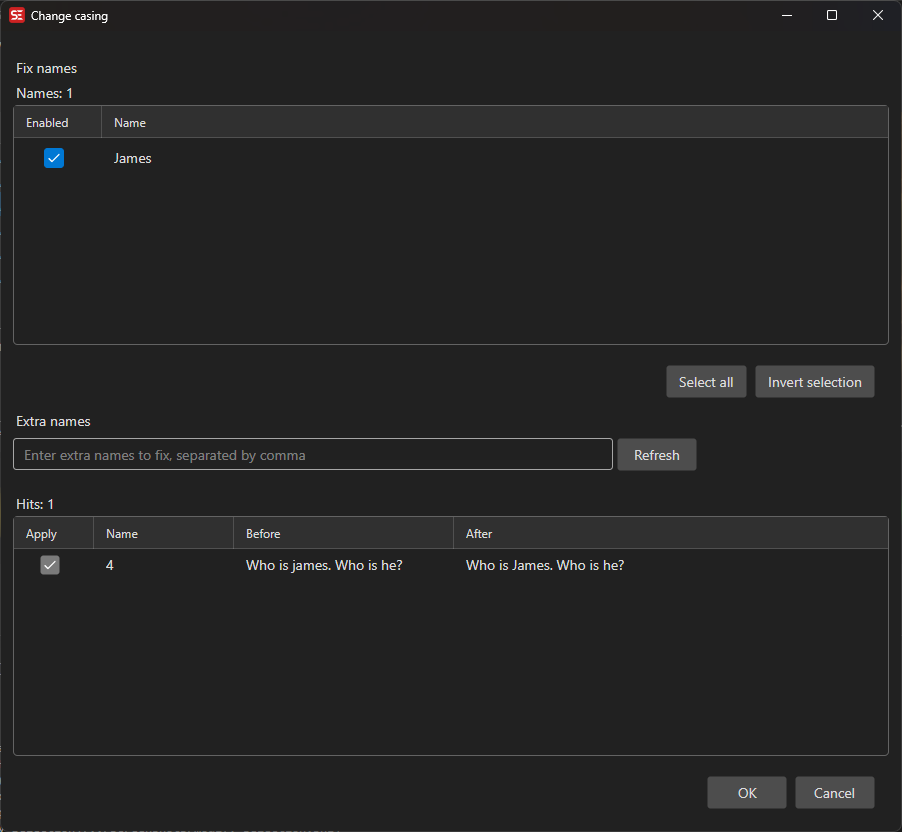
Fix Names
When Fix names (or Fix names only) is selected, a follow-up window lists the proposed name fixes so you can include or exclude individual items before applying.