Fix Common Errors
Automatically detect and fix common subtitle errors.
- Menu: Tools → Fix common errors…
- Shortcut: Configurable
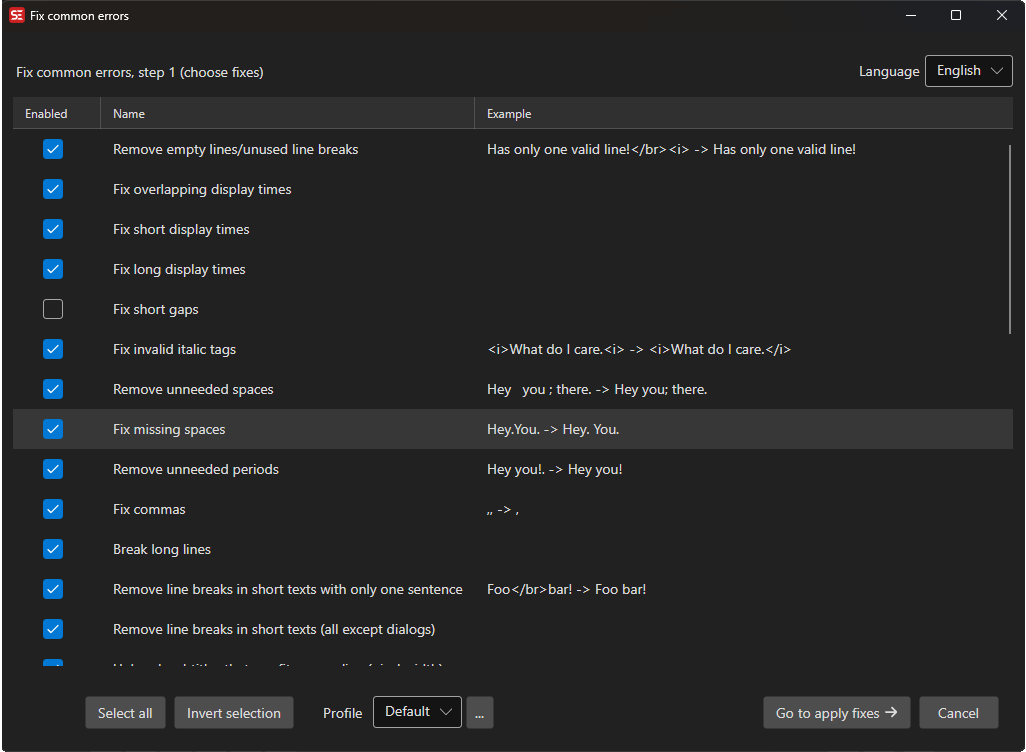
Step 1 - Rules
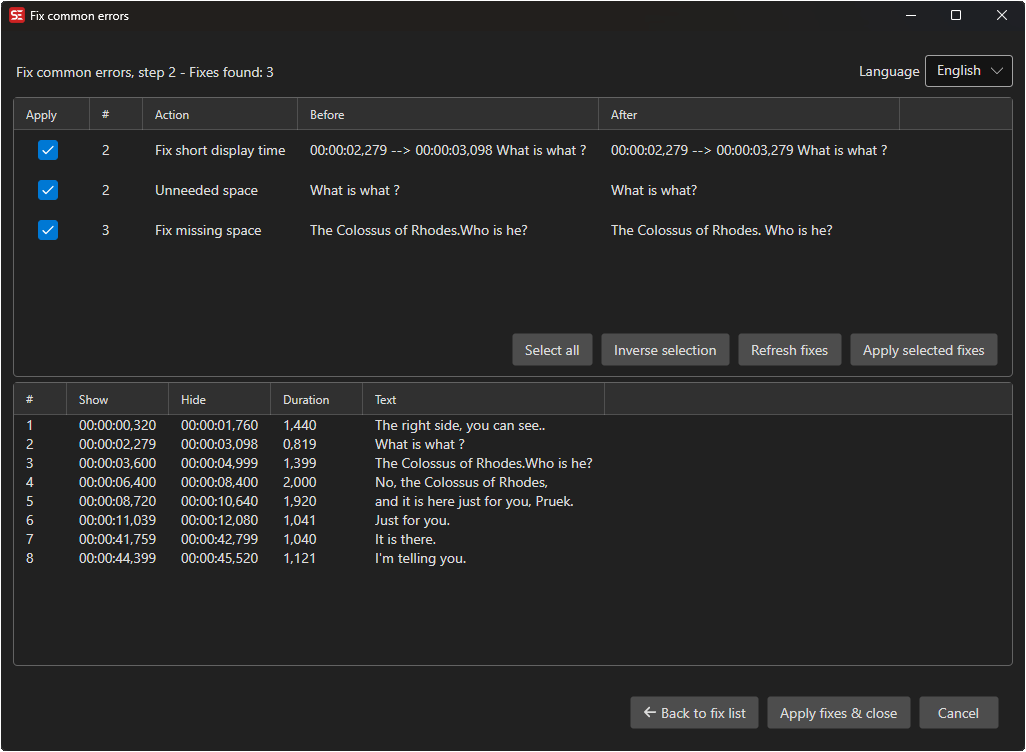
Step 2 - Fixes
How to Use
- Open Tools → Fix common errors…
- Select the language for language-specific rules
- Check/uncheck the rules you want to apply
- Click Go to apply fixes to see the proposed fixes
- Review each fix and check/uncheck individual items
- Click Apply selected fixes
Available Fixes
Common fixes include:
- Remove empty lines / unused line breaks
- Fix overlapping display times
- Fix short display times
- Fix long display times
- Fix short gaps
- Fix invalid italic tags
- Remove unneeded spaces
- Fix missing spaces
- Remove unneeded periods
- Fix commas
- Break long lines
- Remove line breaks in short lines (text length / pixel width)
- Fix double apostrophes (
''→") - Fix music notation
- Add missing periods at end of lines
- Start with uppercase letter after paragraph / period / colon
- Add missing quotes
- Break dialogs on one line
- Fix hyphens / dashes in dialog
- Fix 3+ lines
- Fix double dash (
--→…) - Fix double greater-than (
>>) - Fix continuation style
- Fix missing open bracket (e.g.
(,[) - Fix common OCR errors
- Fix uppercase
Iinside lowercase words - Remove space between numbers
- Remove dialog dash on first line of non-dialog
- Normalize strings (Unicode normalization)
Additional language-specific rules are added when applicable (e.g. lowercase i → uppercase I for English, Turkish ANSI → Unicode, Danish letter i, inverted ¿/¡ for Spanish).
Profiles
You can save different sets of fix rules as profiles for different workflows (e.g., broadcast, streaming, fansubbing).
- Pick the active profile from the Profile combo box at the top of the window
- Click the … button next to the combo box to add, rename, delete, import, or export profiles