Point Sync
Synchronize subtitles using multiple reference points.
- Menu: Synchronization → Point sync…
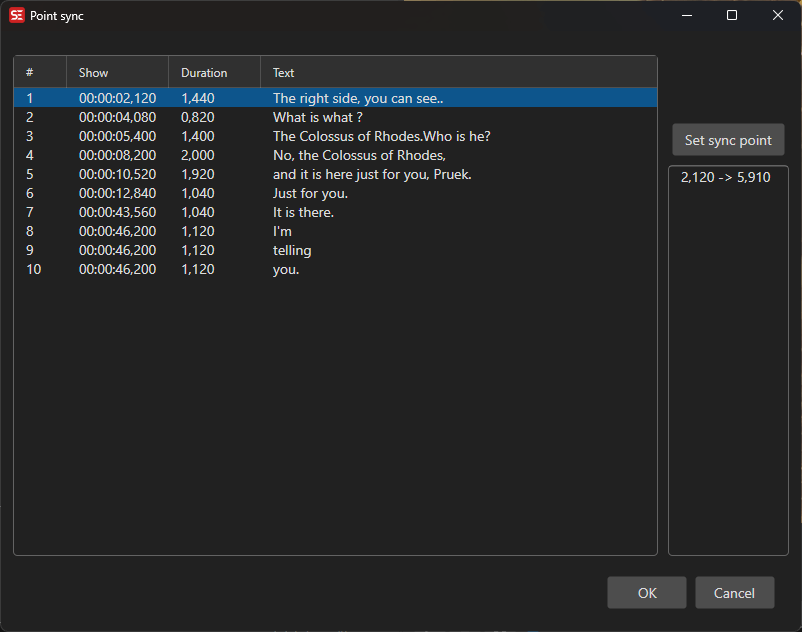
How to Use
- Open Sync → Point sync…
- Select a subtitle line in the list and click Set sync point to set its correct video position
- Repeat for additional sync points as needed for accuracy
- Click OK to apply
More sync points provide better accuracy for subtitles with non-linear drift. The window remembers its size and position between sessions.