Shot Changes
Detect scene/shot changes in a video using FFmpeg, or import them from a file.
- Menu: Video → Generate/import shot changes
- Shortcut: Configurable
A second menu item, Show shot changes list, appears under the Video menu once the loaded video has any shot changes.
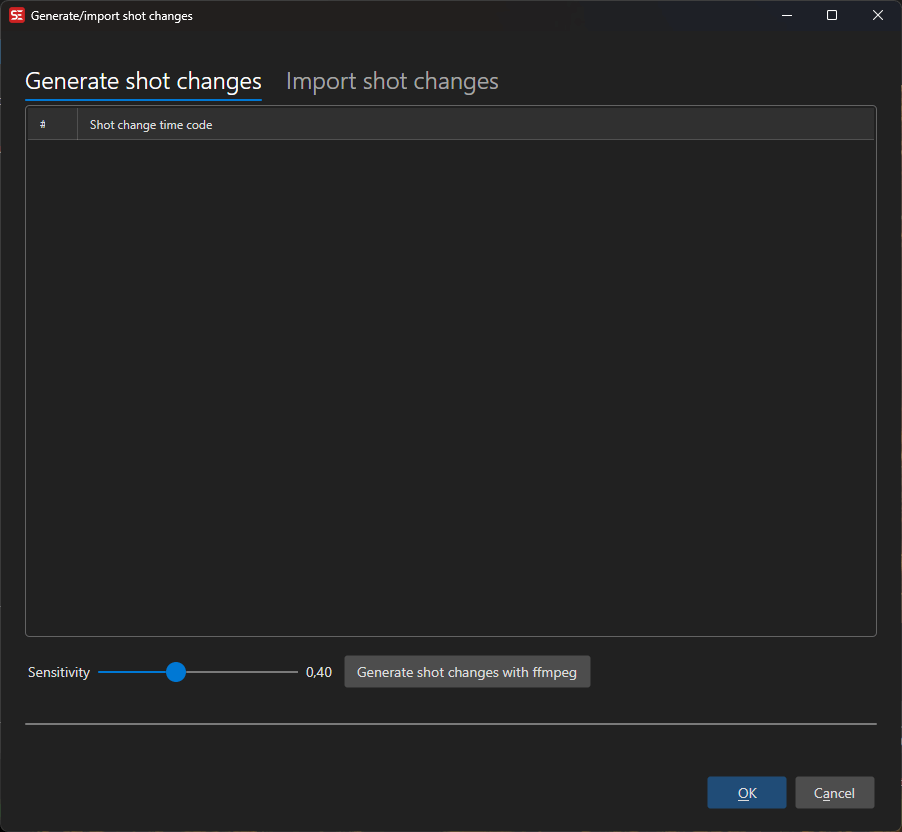
How to Use
- Open Video → Generate/import shot changes
- Adjust the Sensitivity slider (higher = fewer detected changes)
- Click Generate to run FFmpeg scene detection
- Detected shot change times appear in the list
- Click OK to apply them to the audio visualizer
Time Code Format
Choose how shot change times are displayed and exported:
- Seconds — Decimal seconds
- Frames — Frame numbers
- Milliseconds — Millisecond values
- HH:MM:SS.FFF — Full time code format
Import / Export
- Import — Load shot changes from a text file (one time code per line)
- Export — Save detected shot changes to a file
Shot changes are displayed as vertical lines on the audio visualizer waveform.
Keyboard Shortcuts
| Key | Action |
|---|---|
| Escape | Close / Cancel |
| F1 | Open help |