Visual Sync
Synchronize subtitles visually by matching two points in the video.
- Menu: Synchronization → Visual sync…
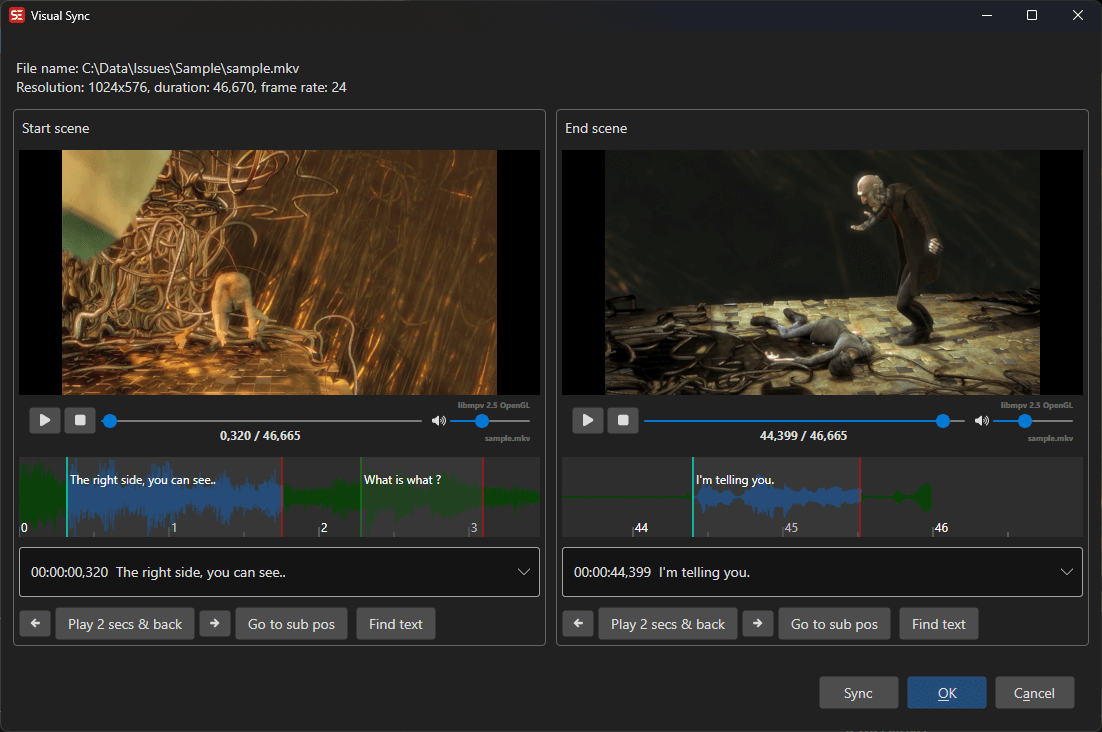
How to Use
The Visual sync window shows two video player panes (“Start scene” and “End scene”), each with its own audio visualizer and a combo box for picking a subtitle line.
- Open Sync → Visual sync…
- In the Start scene pane, pick a subtitle line near the beginning and play the video to the position where that line should start
- In the End scene pane, pick a subtitle line near the end and play the video to the position where that line should start
- Click Sync to apply (or use Manual sync… from the Sync split-button for a manual offset/speed adjustment)
- Click OK to keep the result
The timing of all subtitles is linearly adjusted to match the two sync points. The window remembers its size and position between sessions.