Fix Common Errors
Automatically detect and fix common subtitle errors.
- Menu: Tools → Fix common errors…
- Shortcut: Configurable
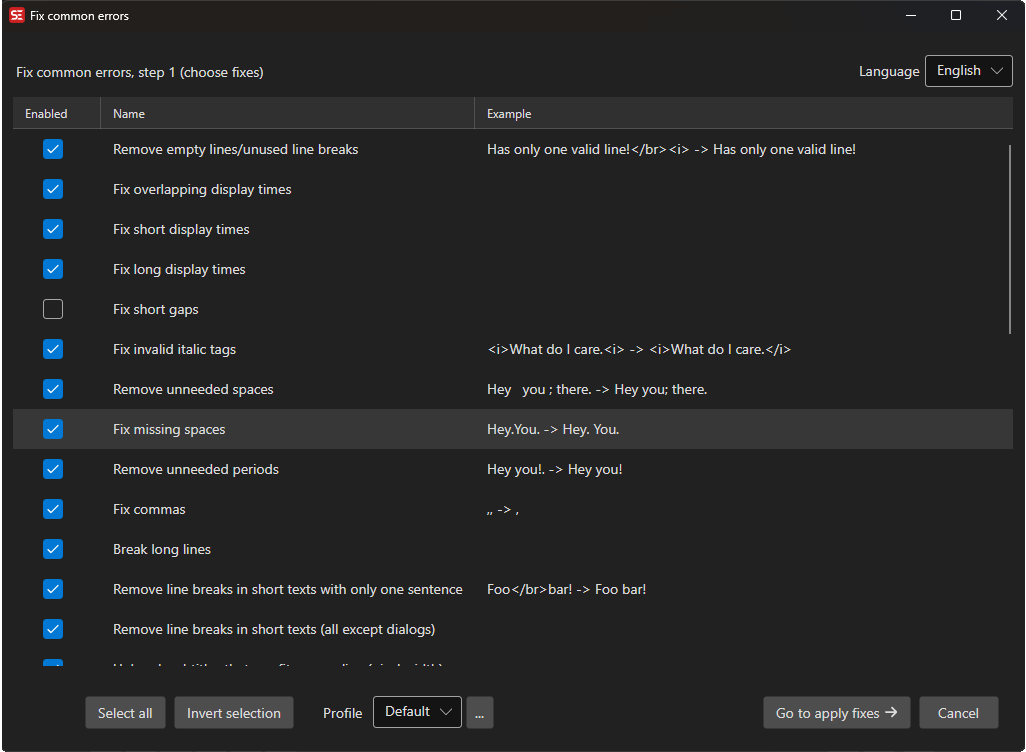
Step 1 - Rules
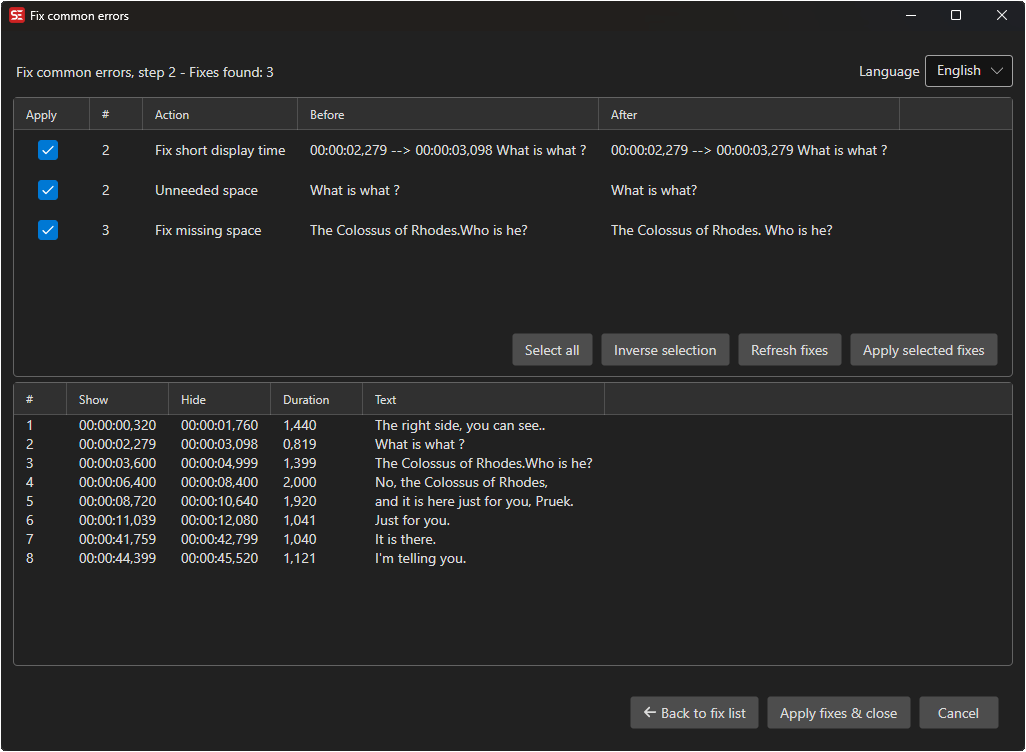
Step 2 - Fixes
How to Use
- Open Tools → Fix common errors…
- Select the language for language-specific rules
- Check/uncheck the rules you want to apply. The search box filters the rule list, and Select all / Invert selection flip many rules at once
- Optionally tick Try to guess unknown words to let the OCR fix engine correct words it does not know
- Click Go to apply fixes to see the proposed fixes
- Review each fix and check/uncheck individual items
- Click Apply selected fixes, then Done to close the window
Step 2 controls
- Refresh available fixes re-scans the subtitle after you have applied some fixes or edited text in the preview
- The filter chips above the list show one chip per rule that found something; click a chip to show only that rule’s fixes
- Right-click a fix for Rule details… (what the rule does and an example) or Show only this rule
- The Log link opens a window with everything the run changed, plus errors that were found but could not be fixed automatically
Available Fixes
Common fixes include:
- Remove empty lines / unused line breaks
- Fix overlapping display times
- Fix short display times
- Fix long display times
- Fix short gaps
- Fix invalid italic tags
- Remove unneeded spaces
- Fix missing spaces
- Remove unneeded periods
- Fix commas
- Break long lines
- Remove line breaks in short lines (text length / pixel width)
- Fix double apostrophes (
''→") - Fix apostrophes misread as double quotes by OCR (
"Hello'→"Hello",'Hello'→"Hello") - English only - Fix music notation
- Add missing periods at end of lines
- Start with uppercase letter after paragraph / period / colon
- Add missing quotes
- Break dialogs on one line
- Fix hyphens / dashes in dialog
- Fix 3+ lines
- Fix double dash (
--→…) - Fix double greater-than (
>>) - Fix continuation style
- Fix missing open bracket (e.g.
(,[) - Fix common OCR errors
- Fix uppercase
Iinside lowercase words - Remove space between numbers
- Remove dialog dash on first line of non-dialog
- Normalize strings (Unicode normalization)
- Remove leading
...(only offered when the continuation style in Settings → General is None)
Additional language-specific rules are added when applicable (e.g. lowercase i → uppercase I for English, Turkish ANSI → Unicode, Danish letter i, inverted ¿/¡ for Spanish).
Profiles
You can save different sets of fix rules as profiles for different workflows (e.g., broadcast, streaming, fansubbing).
- Pick the active profile from the Profile combo box at the top of the window
- Click the … button next to the combo box to add, rename, or delete profiles