Video Player
Subtitle Edit includes an integrated video player for previewing subtitles with video.
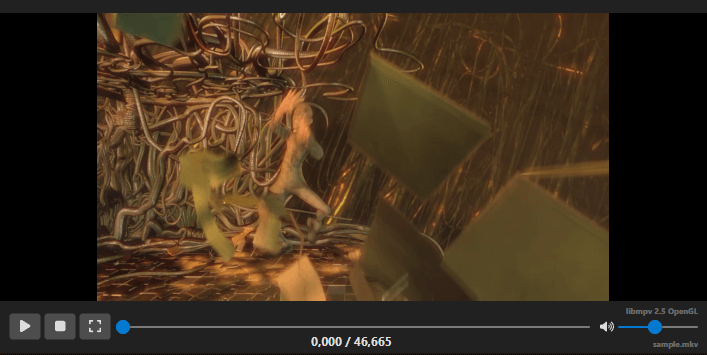
Opening Video
- Menu: Video → Open video…
- Shortcut: Configurable via Options → Shortcuts
- Drag and drop a video file onto the Subtitle Edit window
- You can also open video from a URL: Video → Open video from URL…
Playback Controls
| Shortcut | Action |
|---|---|
| Play/Pause toggle | Toggle video playback |
| Play | Start playback |
| Pause | Pause playback |
| Play next (and stop / and loop) | Play the next subtitle, then stop or loop |
| Play previous (and stop / and loop) | Play the previous subtitle, then stop or loop |
| Play selected lines | Play only the selected subtitle lines |
Note: When a “play and stop” playback stops, the video parks on the last visible frame of the line (one frame before its end time) rather than exactly on the end time. This keeps the line you just played visible on the video — stopping exactly on the end time would show a blank frame, or the next line when two lines share a boundary. The played line also stays selected in the subtitle grid.
Navigation
| Shortcut | Action |
|---|---|
| One frame back | Move one frame backward |
| One frame forward | Move one frame forward |
| 100ms back | Jump 100 milliseconds backward |
| 100ms forward | Jump 100 milliseconds forward |
| 500ms back | Jump 500 milliseconds backward |
| 500ms forward | Jump 500 milliseconds forward |
| 1 second back | Jump 1 second backward |
| 1 second forward | Jump 1 second forward |
| Custom back/forward | Configurable jump amounts |
Note: Actual key bindings depend on your shortcut configuration. See Options → Shortcuts.
Go to Video Position
Jump to a specific time code position in the video.
- Shortcut: Configurable via Options → Shortcuts (search for “Go to video position”)
Playback Speed
- Toggle playback speed — Switch between normal and custom speed
- Slower — Decrease playback speed
- Faster — Increase playback speed
Full Screen
- Shortcut: Configurable
- Toggle full-screen video playback
Undock / Redock
You can undock the video player into a separate window for multi-monitor setups:
- Undock video controls
- Redock video controls
Secondary Subtitles
You can open a secondary subtitle on the video player and remove it again from the Video menu. This is useful when checking a translation against the original subtitle while previewing video playback.
Embedded Subtitles
Use Embedded Subtitles to add, remove, preview, and edit Matroska/WebM embedded subtitle tracks.
Supported Video Players
Configure the video player backend in Options → Settings → Video player:
- libmpv — Recommended for best format support (default). The render mode can be set to Auto, Native, OpenGL, or Software (slow).
- libVLC — Alternative backend (Windows and Linux only).
Video Info
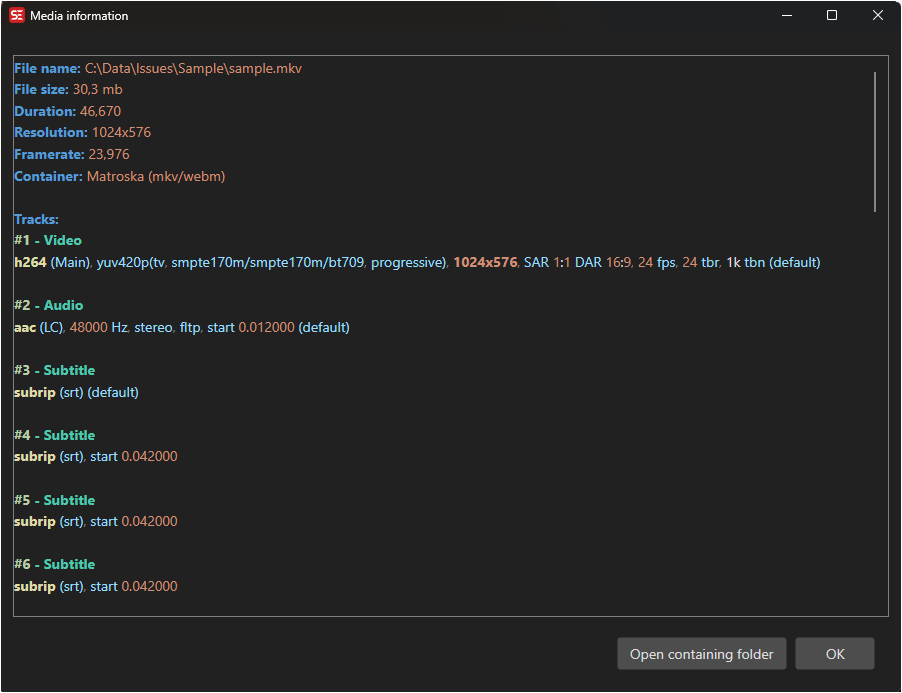
You can view detailed information about the video file by right-clicking the video player (or via the “Show media information” shortcut).
This displays:
- Video codec, resolution, frame rate, and bitrate
- Audio tracks with codec and channel information
- Subtitle tracks (if embedded)
- Duration and file size
Audio Tracks
If the video has multiple audio tracks, you can toggle between them via the video menu or a shortcut.
Video Menu Options
The Video menu also includes:
- Toggle select subtitle while playing - automatically select the current subtitle during playback.
- Set video offset - shift video playback relative to the subtitle timing.
- SMPTE timing - toggle SMPTE-style timing display when available.