ASSA Attachments
Manage fonts and images embedded as attachments in an Advanced SubStation Alpha (ASS/SSA) subtitle file.
Menu: ASSA tools → Attachments...
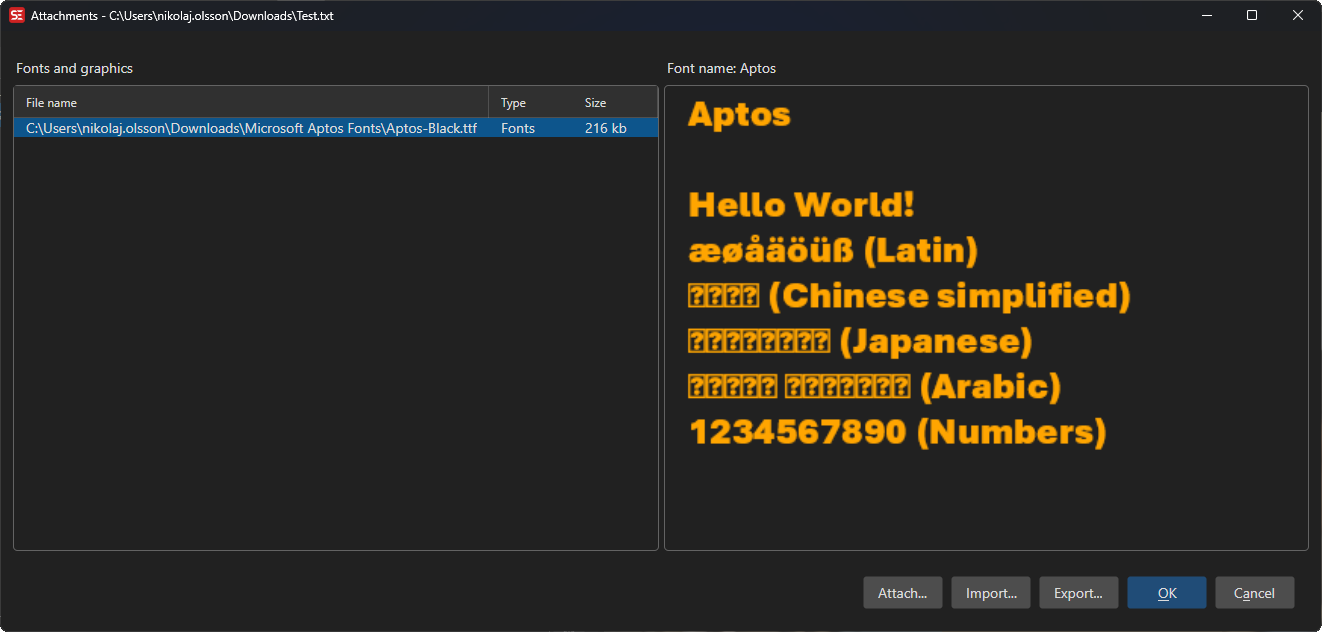
How to Use
- Open a subtitle file in ASS/SSA format.
- Go to ASSA tools → Attachments… to open the attachments manager.
- View the list of currently embedded fonts and images.
- Use Attach… to attach new font or image files, or Import… to take the attachments from another .ass file.
- Right-click an attachment and use Delete or Clear to remove attachments.
- Select an image attachment to see a preview.
- Click OK to save changes.
Features
Font Attachments
- Embed TrueType (.ttf) font files directly in the subtitle file (the file picker offers *.ttf).
- Ensures the correct fonts are available regardless of the system fonts installed.
Image Attachments
- Embed image files (PNG, JPG, GIF, BMP, ICO) in the subtitle file.
- Preview embedded images directly in the dialog.
Management
- Add one or more attachments at a time.
- Delete individual attachments or clear all attachments.
- View attachment names and sizes.
- Export… saves the selected attachment to a file.
- With a font selected, Copy to clipboard copies its font name and Copy to font collector copies the font file to Subtitle Edit’s
Fontsfolder. - Reorder via the right-click menu: Move up (
Ctrl+Up), Move down (Ctrl+Down), Move to top, Move to bottom.
Trim Fonts to Used Characters
- Trim fonts to used characters… rewrites each embedded TrueType font so that only the glyphs used by the subtitle’s text keep their outlines - a full CJK font of many megabytes typically shrinks to a few hundred kilobytes.
- Character coverage, kerning, ligatures and complex-script shaping (Arabic, Indic, …) are preserved for the text the subtitle actually contains, and the font’s family name is unchanged.
- Trim as a final step: text added to the subtitle later may display with missing characters, since its glyphs were removed. Re-embed the full font if the text changes.
- Only TrueType fonts with glyf outlines can be trimmed; CFF-based OpenType fonts and font collections (.ttc) are kept unchanged.
- The same trimming is available as a checkbox in the font collector’s Embed fonts in subtitle and in batch convert’s Embed fonts function.
Keyboard Shortcuts
| Shortcut | Action |
|---|---|
| F1 | Show help (default key, changeable) |
| Escape | Close dialog |