Overview
What is Subtitle Edit?
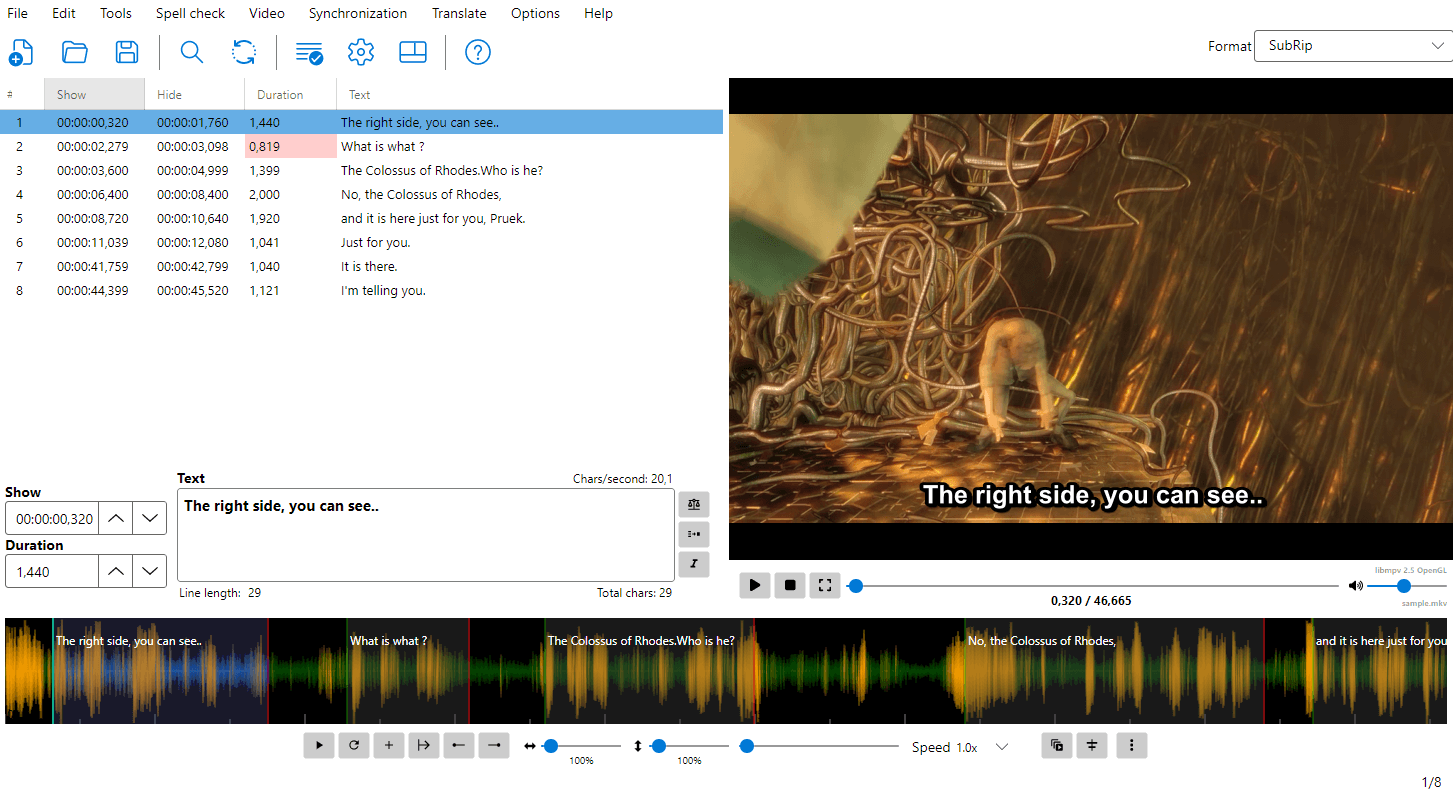
Subtitle Edit is a free, open-source editor for video subtitles. It allows you to create, edit, adjust, and convert subtitles in a wide variety of formats.
Subtitle Edit 5 is the latest generation, built with Avalonia UI for cross-platform support (Windows, Linux, macOS).
Key Features
- Create and edit subtitles in 380+ formats
- Synchronize subtitles to video with visual tools
- Speech to Text — transcribe audio using Whisper, Qwen3 ASR, Crisp ASR, and other local/cloud engines
- Text to Speech — generate audio from subtitle text
- Translate subtitles automatically
- OCR — convert image-based subtitles (Blu-ray, DVD, etc.) to text
- Fix common errors automatically
- Spell check with dictionary support
- Burn-in subtitles into video
- Batch convert multiple files
- ASSA/SSA styling with advanced override tags, drawing, and positioning
- Waveform/spectrogram for precise timing
- Shot change detection for professional workflows
- Export to image based subtitles (Blu-ray SUP, BDN-xml, VobSub, etc.)
System Requirements
- Windows 10 (version 22H2 / build 19045) or newer, Linux, or macOS 12 (Monterey) or newer (macOS 14 / Sonoma or newer recommended - that is the oldest macOS .NET 10 is supported on)
- FFmpeg (for audio/video processing, waveforms, burn-in etc.)
- libmpv for video playback
How you get FFmpeg and libmpv depends on the platform:
- Windows — not included; Subtitle Edit offers to download them the first time they are needed (libmpv when you open a video, FFmpeg for waveforms and other video features). Both can also be downloaded from Options → Settings.
- macOS — the
.dmgis self-contained: libmpv and FFmpeg are bundled insideSubtitle Edit.app. - Linux — the Flatpak bundles mpv and FFmpeg. The native
.tar.gzbuilds use the system libraries, so install libmpv and FFmpeg with your package manager (see the README for the package names per distribution).
All builds are self-contained and do not need a separate .NET installation.
Getting Started
Follow these simple steps to begin working with subtitles in Subtitle Edit:
- Install Subtitle Edit
Download the latest version from the Releases page:- Windows —
SubtitleEdit-Windows-x64-Setup.exe(installer), orSubtitleEdit-Windows-x64.zip/SubtitleEdit-Windows-ARM64.zip(portable - unzip and runSubtitleEdit.exe; settings are kept next to the program) - macOS —
SubtitleEdit-macOS-ARM64.dmg(Apple Silicon) orSubtitleEdit-macOS-x64.dmg(Intel). Open the.dmgand dragSubtitle Edit.appintoApplications; it is signed and notarized, so it opens normally - Linux —
SubtitleEdit-linux-x64.flatpak(any distribution, install withflatpak install SubtitleEdit-linux-x64.flatpak), or the nativeSubtitleEdit-Linux-x64.tar.gz/SubtitleEdit-Linux-ARM64.tar.gzbuilds (need libmpv and FFmpeg from your package manager, see the README)
- Windows —
-
Open a video file
Go to Video → Open video… and select your video.
This allows you to preview and sync subtitles accurately. - Open, create, or generate a subtitle file
- Open an existing file via File → Open
- Create a new one via File → New
- Or generate subtitles automatically using speech-to-text (Video → Speech to text)
- Edit your subtitles
Use the subtitle grid and text editor to:- Adjust text
- Split or merge lines
- Fine-tune timing
-
Adjust timing visually
Use the waveform display to precisely sync subtitles with audio. - Save your work
Go to File → Save (or press Ctrl+S) to save your subtitle file.
Main Window Layout
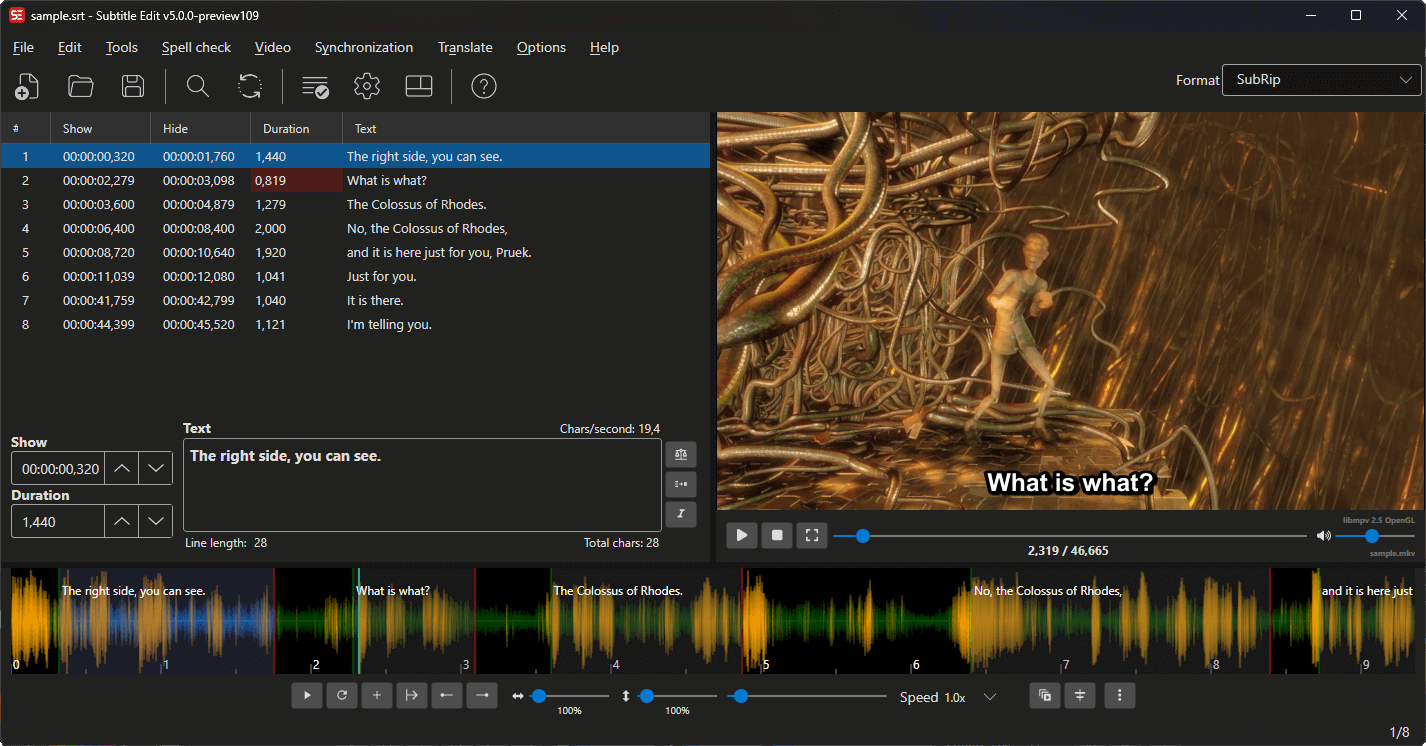
The main window consists of several key areas:
- Menu Bar — Access all features
- Toolbar — Quick access to common actions
- Subtitle Grid — List of all subtitle lines with timing and text
- Text Editor — Edit the currently selected subtitle text
- Video Player — Preview video with subtitles
- Audio Visualizer — Waveform/spectrogram for precise timing adjustments
Subtitle Edit offers 15 different layouts for arranging these areas. Choose one with the Layout button on the toolbar or its configurable shortcut.
For a detailed guide to each area, mouse interactions, and keyboard shortcuts, see the Main Window documentation.